
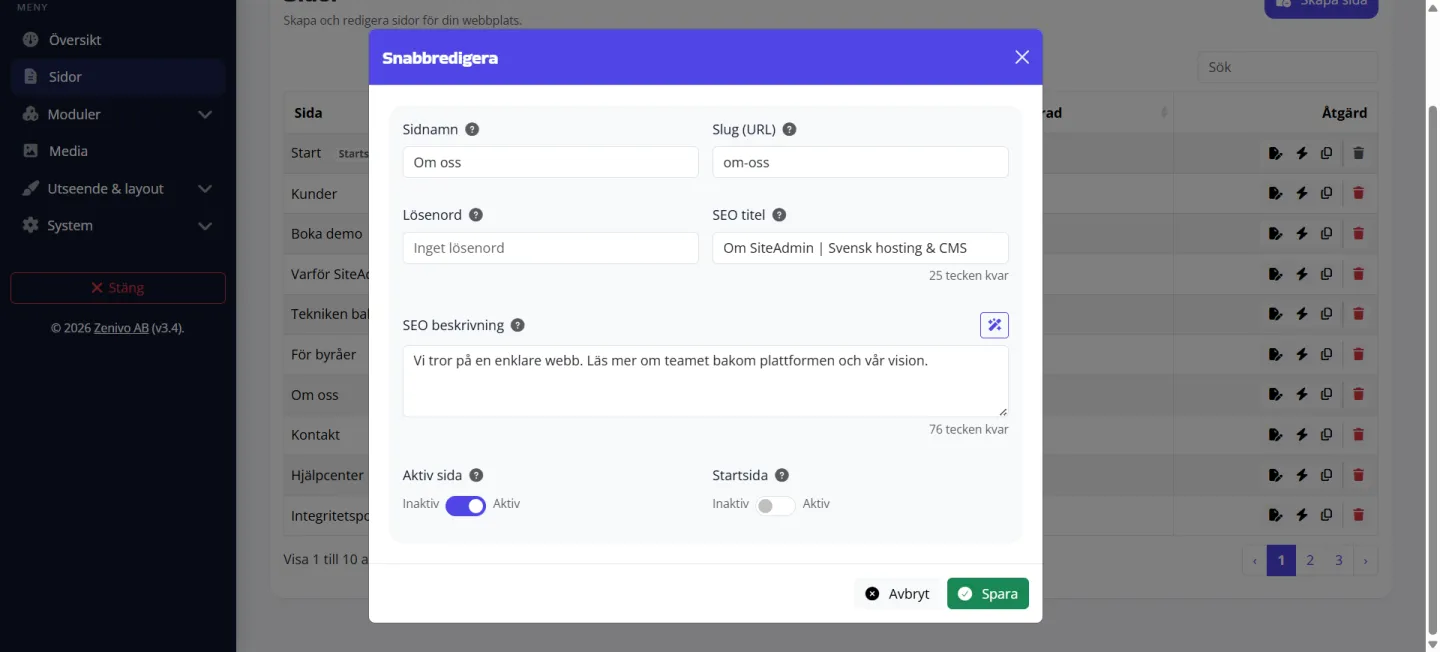
Metadata for each page
Set the page title and meta description where you already edit the page, with website-wide fallback values whenever a page has no custom settings.
SiteAdmin brings pages, design, media, SEO, language support, modules, and publishing together in one intuitive interface. Build visually, keep your content organized, and add more functionality as your website grows.
Content, design, and functionality work together seamlessly. The same media, navigation, and brand settings are used throughout your website. Behind the scenes, SiteAdmin delivers clean, structured HTML5 — a lighter, carefully designed foundation for speed, accessibility, and SEO. Built with GDPR in mind from the ground up.
Build pages with sections, text, images, and buttons in an editor that is easy to use yet powerful enough for professional websites.
Upload images, documents, and fonts in one place. Reuse the same files across pages, modules, and your design.
Manage colors, fonts, your logo, menus, header, and footer from one central location.
Manage titles, meta descriptions, indexing, your sitemap, and redirects without extra plugins.
Multilingual support is included in your package (for example, Starter includes 2 languages). Activate languages, edit each version, and display a language switcher.
Start with the standard modules included from day one. Add more from the module marketplace whenever you need them.
SiteAdmin Editor lets you build pages with ready-made sections, edit text directly where it appears, and organize your content before publishing.

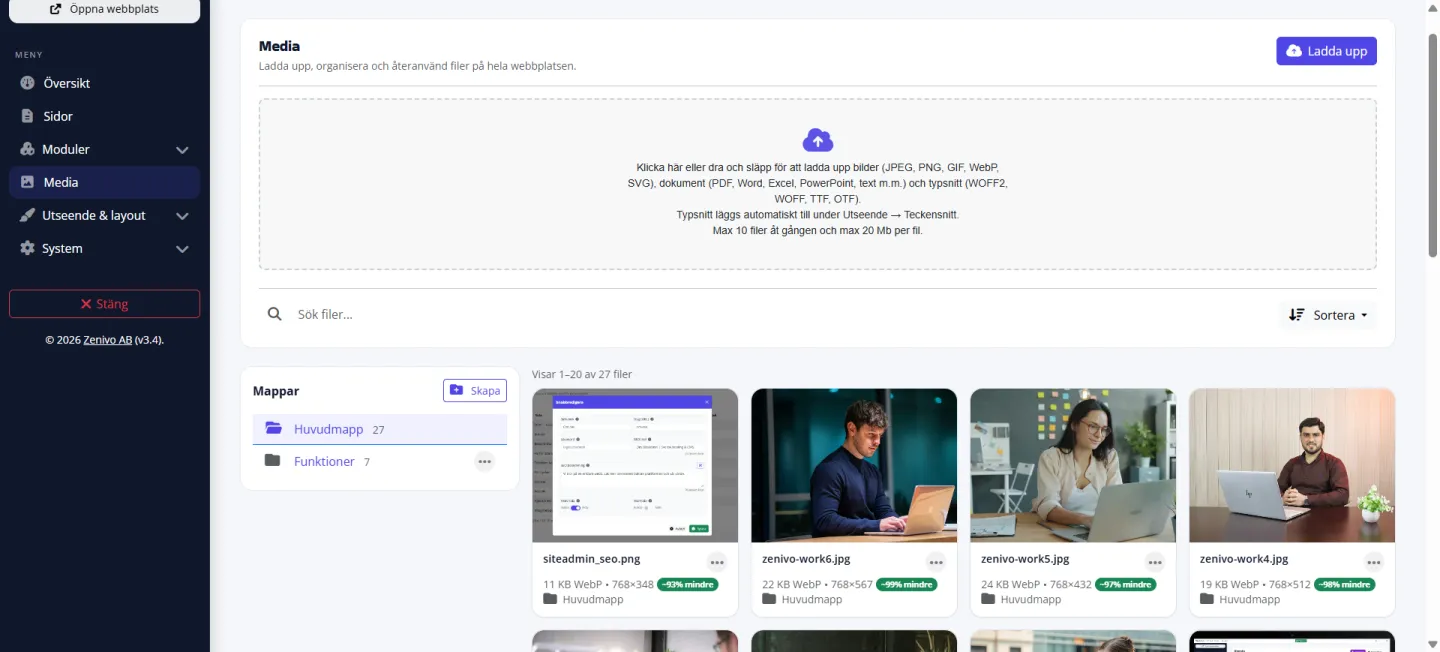
Keep images, documents, and fonts in one shared library. Upload once and use the same files across pages, modules, your logo, favicon, and design.
Uploaded images automatically receive optimized WebP versions for faster loading.
Upload your brand font in Media and select it under Fonts.
Organize files, find what you need faster, and keep your library tidy.
Manage PDFs and other files just as easily as images.
Choose colors and fonts, upload your logo, create menus, and shape the header and footer for a consistent experience across your website.
Create a distinctive look with a primary color and accent.
Control headings, body text, size, weight, and line spacing.
Build your main menu and navigation without hard-coded links.
Update the header and footer once — the entire website follows.
SiteAdmin uses a responsive layout system built on Bootstrap. Sections, columns, buttons, and navigation adapt to the screen without requiring separate mobile pages.
Spacious sections, clear navigation, and room for compelling calls to action.
The menu moves into a clear, easy-to-use mobile panel.
A proven responsive foundation makes layouts more reliable, predictable, and easier to develop further.
Control how your website appears in search results and when links are shared. SiteAdmin brings page-specific SEO, default values, indexing, and redirects into the same place where you manage your website. SiteAdmin AI can also suggest titles and descriptions based on each page’s content.
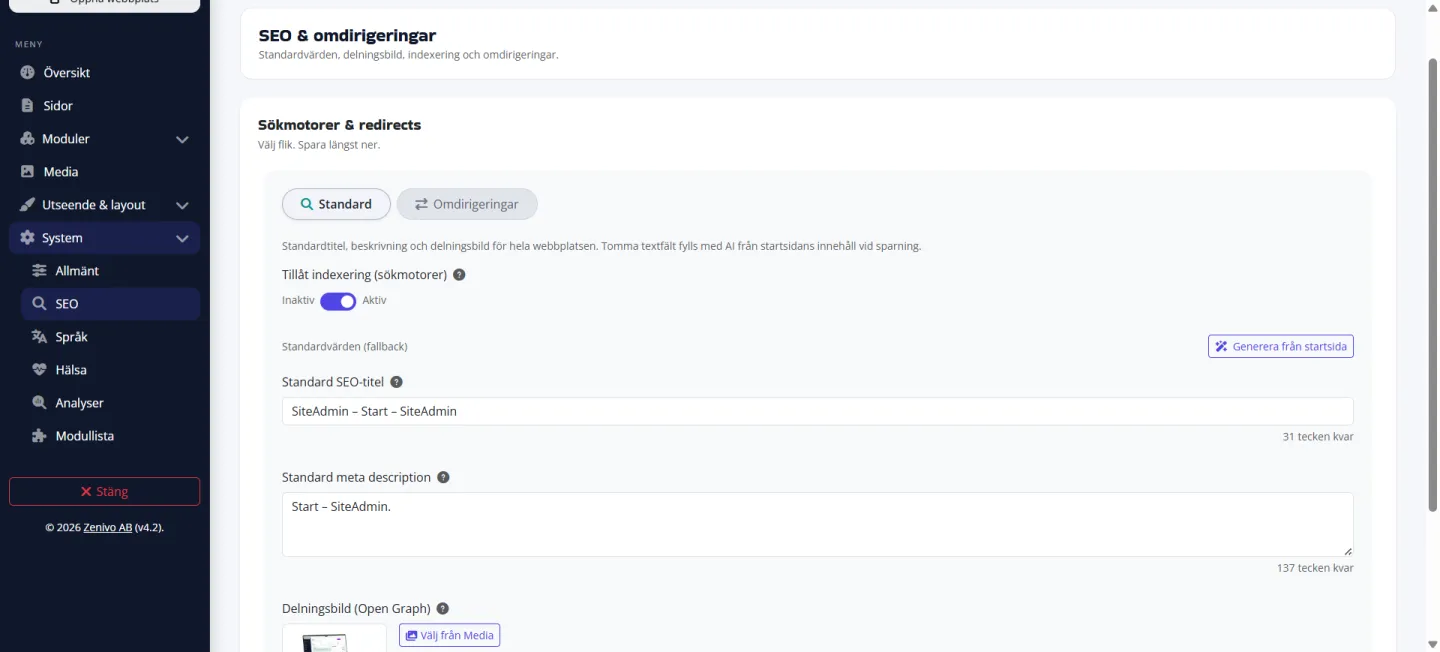
Three tools that make visibility a natural part of managing your website — without extra plugins.
Set the page title and meta description where you already edit the page, with website-wide fallback values whenever a page has no custom settings.
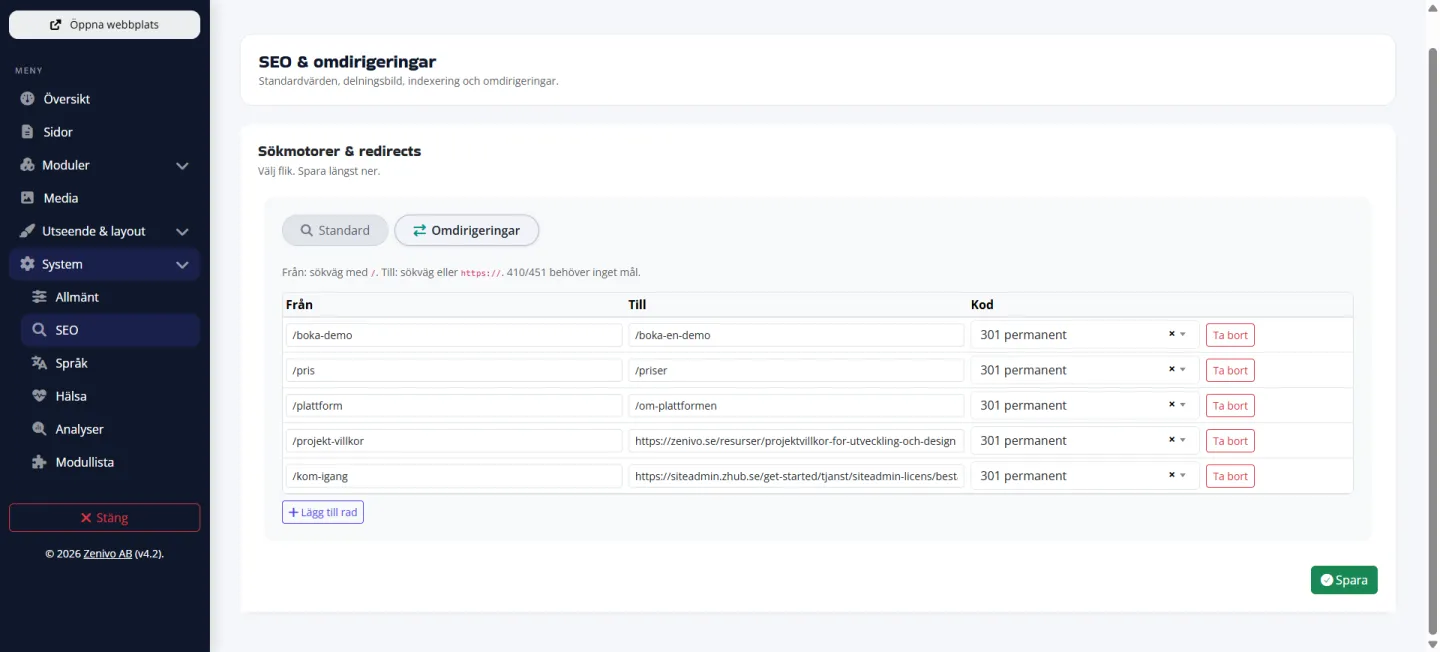
Manage 301 redirects, indexing, and your sitemap in the same admin interface, keeping old links aligned with your new site structure.
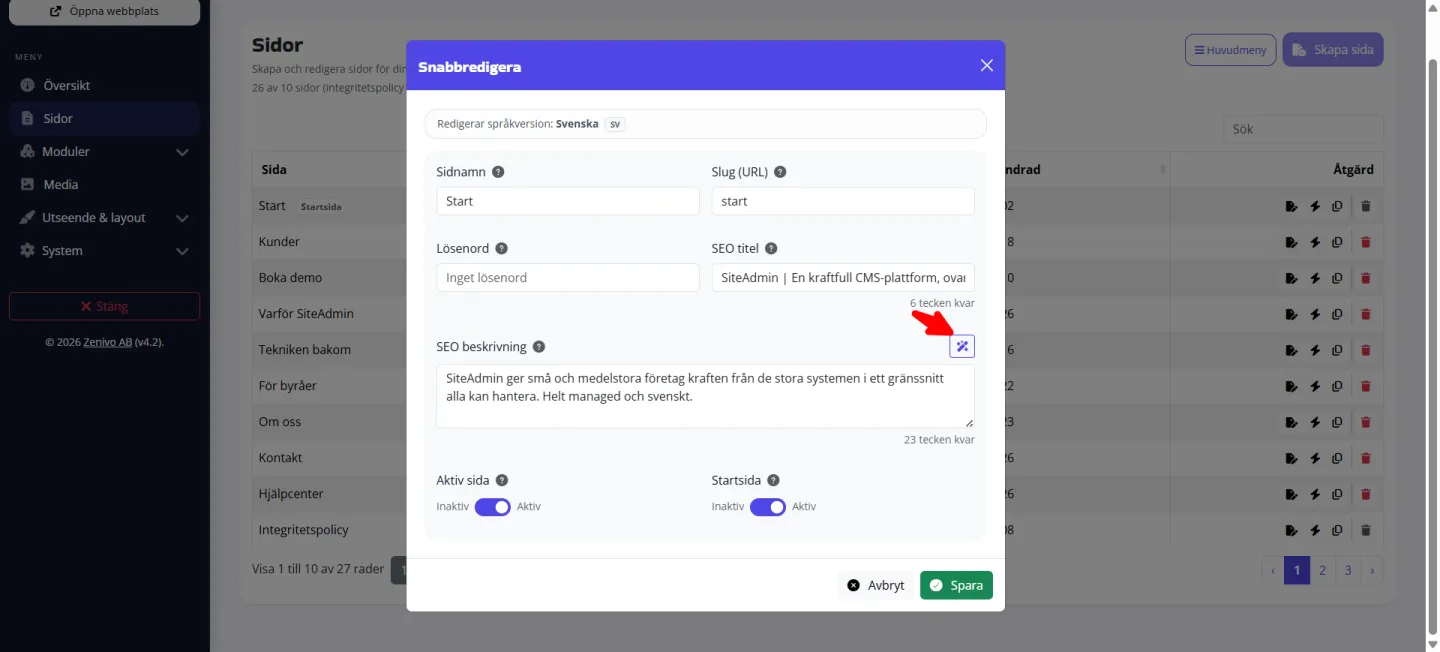
Get title and description suggestions based on the page content — review and save them before anything appears in search results.
Activate the languages you need under System → Languages. Each package includes a set number of languages: Starter 2, Standard 4, and Premium 6 (Swedish included). Additional languages are available as add-ons. Edit pages, the header, footer, and other content for each language version, and let visitors switch languages with a clear language selector.
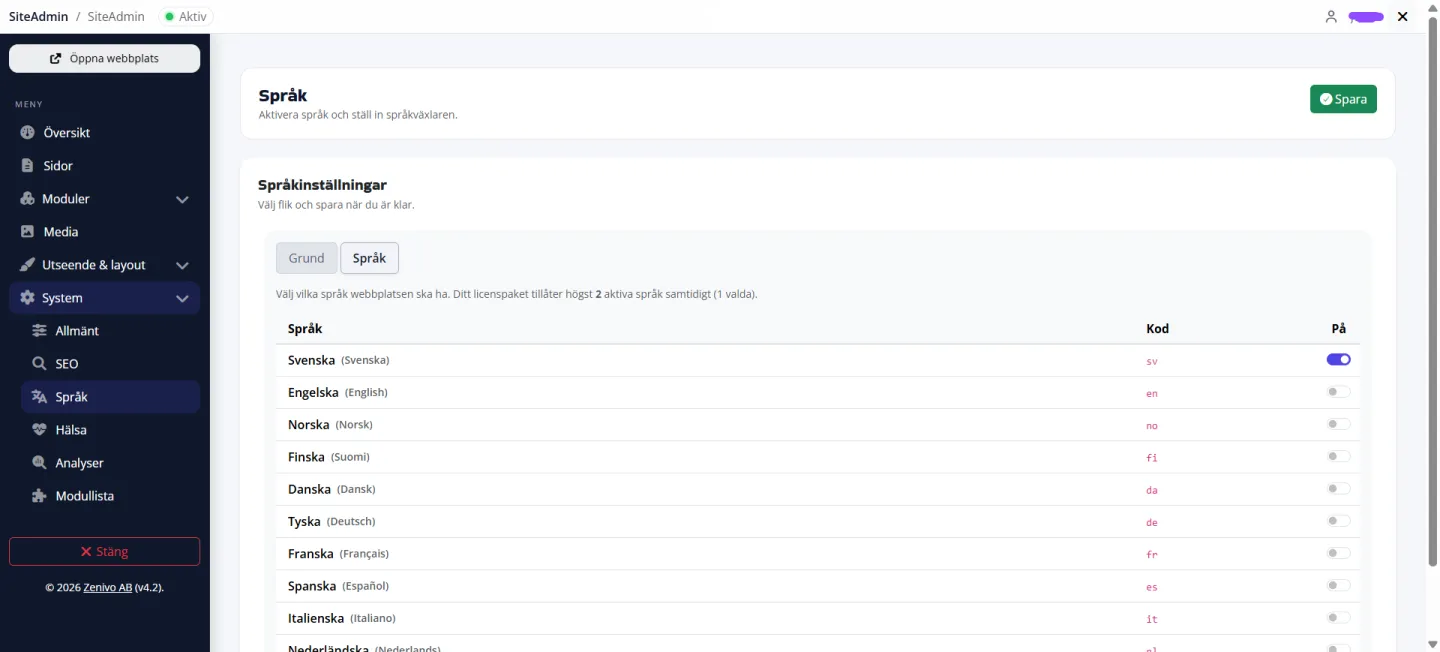
Three practical ways to manage a multilingual website — translation, content, and visitor language selection.
When you create a new language version, AI can help translate content from the default language — review and refine it before it goes live.
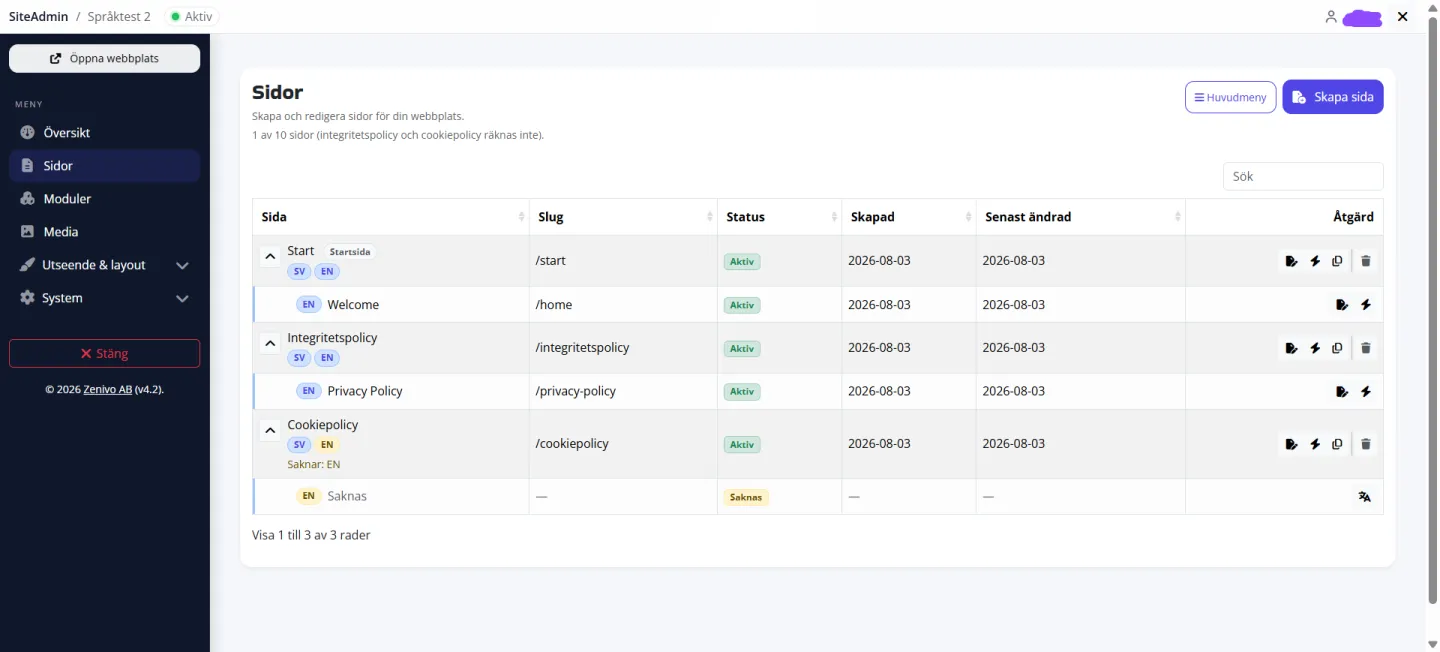
The same page can have multiple language versions. Switch languages in the editor and complete each version without duplicating the page list.
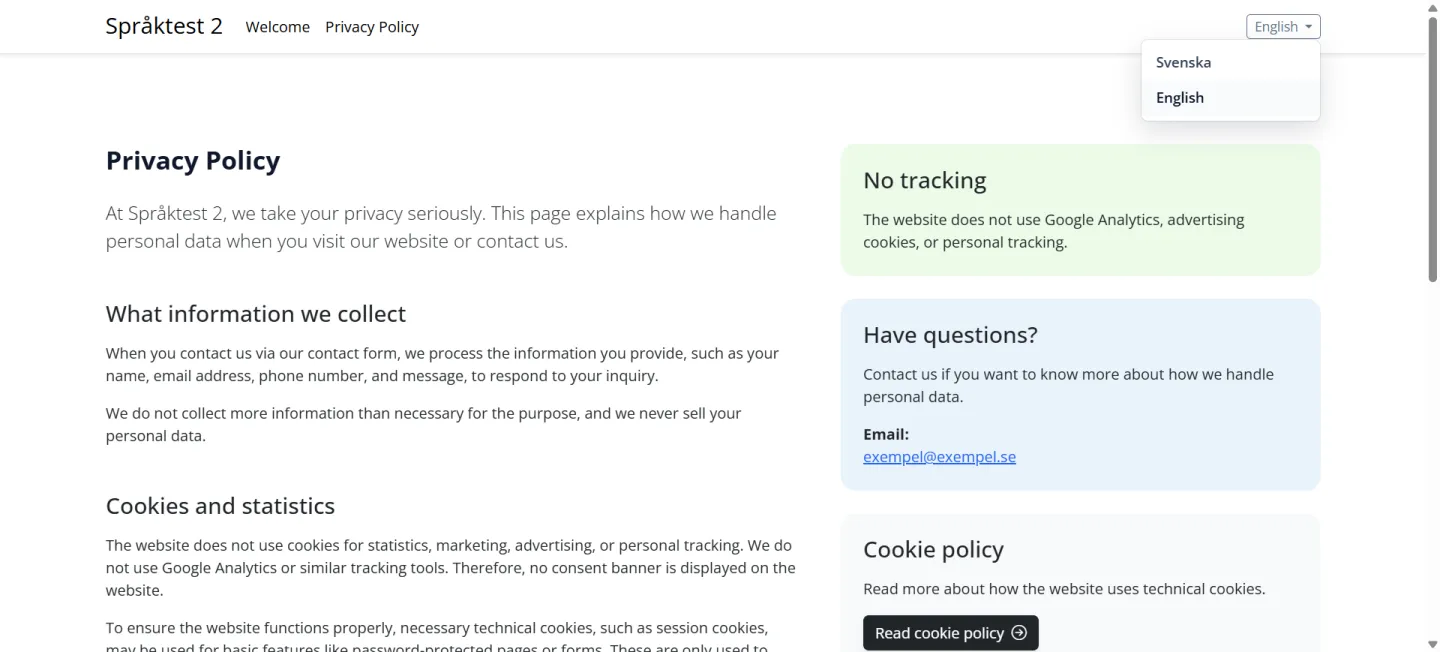
Display the language switcher in the header. Visitors choose their language while you control which options are available.
SiteAdmin is built to grow with you. Standard modules are included from the start and can be activated whenever you need them. Find more functionality in the module marketplace — many modules are free to add. Online store and Booking are listed as coming soon.
These standard modules are included with SiteAdmin and can be activated under My modules whenever you are ready to use them.
Modules currently in development are listed in the module marketplace and can be activated once they are ready to use.
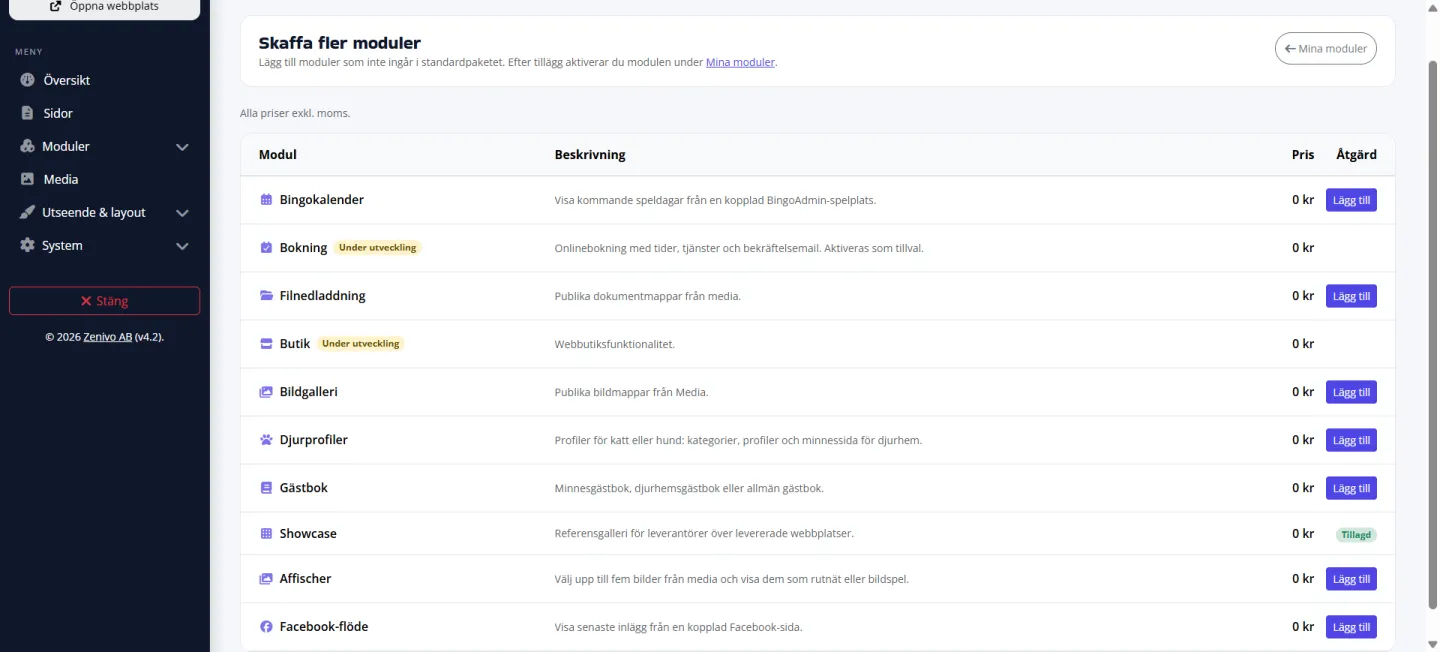
In addition to the standard package, you can add more modules at no cost under System → Get more modules. Free add-ons include:
Availability in the module marketplace may vary. The current selection and pricing, often SEK 0, are always displayed under Get more modules.
Under System → Get more modules, you can browse add-on modules that are not included in the standard package, complete with descriptions, pricing, and an Add button. Then activate them under My modules. The same design, media, and admin experience carries across them all.
SiteAdmin AI helps you move faster with copy, sections, blog content, and SEO. When you save in SiteAdmin Editor, Page tips also provides practical suggestions for headings, links, and image descriptions. You always remain in control.
Improve headings and paragraphs, rewrite entire sections, create blog posts, and receive SEO suggestions based on the page content.
When you save in SiteAdmin Editor, the light bulb displays practical tips, such as skipped heading levels, multiple H1 headings, or missing alt text. You decide what to change.
Develop page content as a draft and publish only when it is ready. This reduces the risk of visitors seeing unfinished pages.
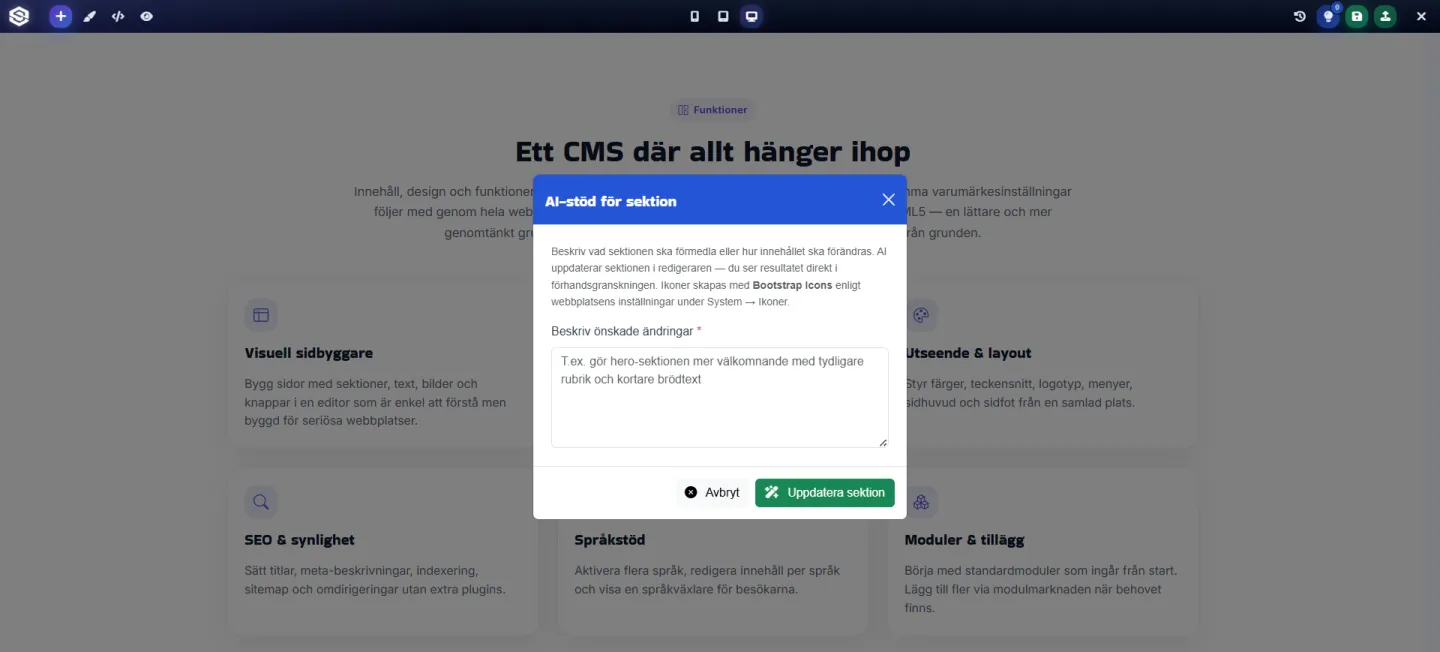
Three practical workflows — AI for copy and Page tips before you publish.
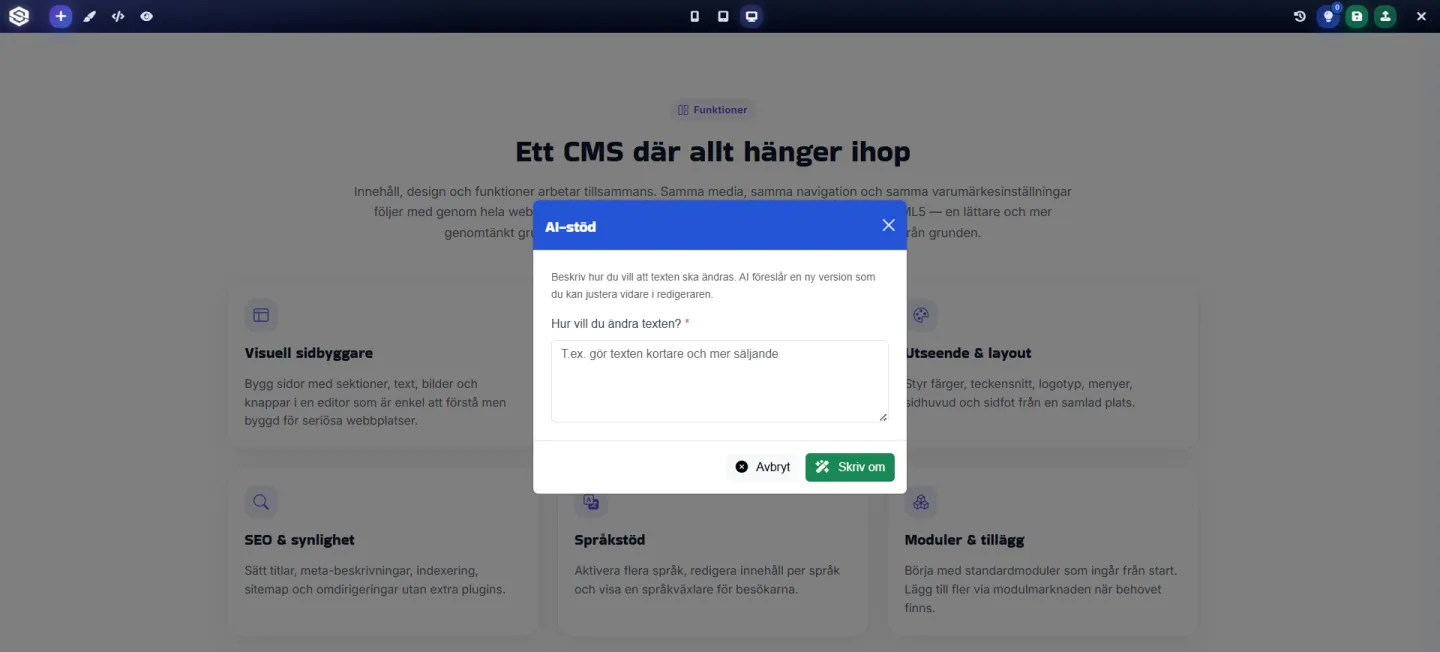
Select text in the editor and ask AI to make it shorter, more persuasive, or more welcoming — you approve the suggestion before it is saved.
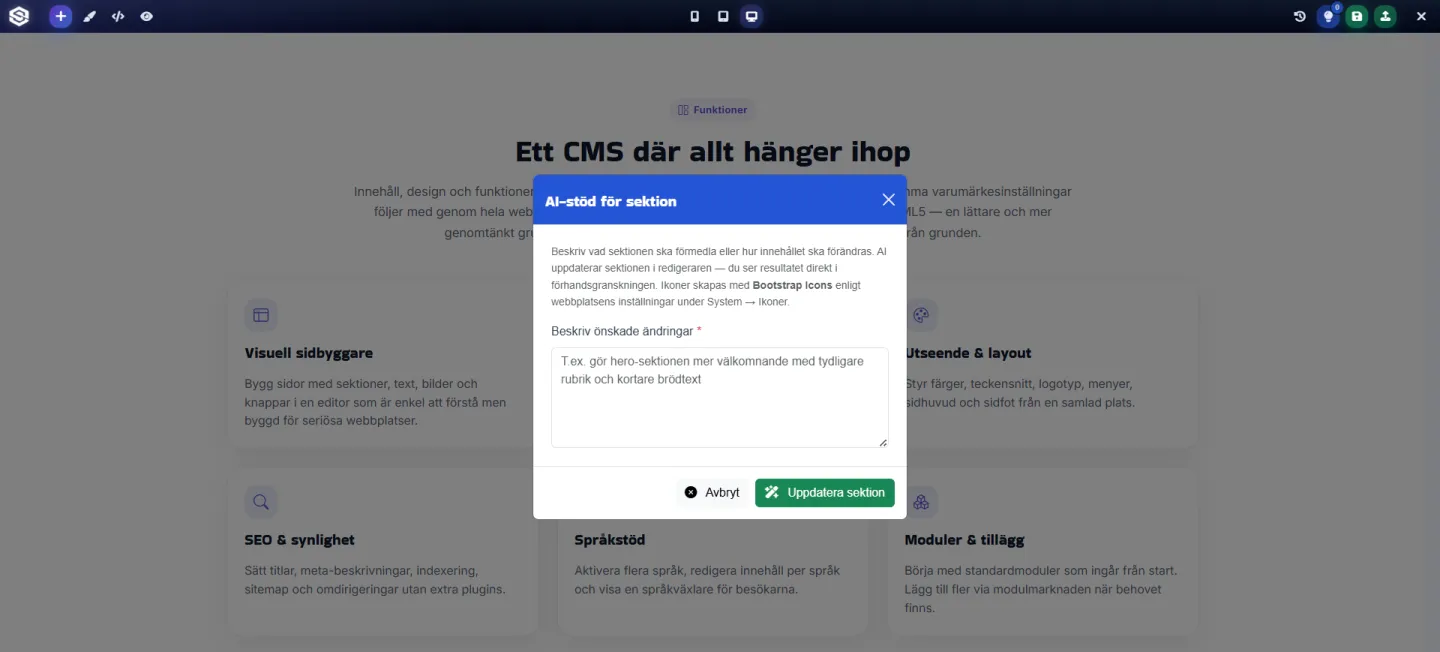
Update an entire page block with clearer messaging or a stronger call to action — the layout stays intact while the content becomes more focused.
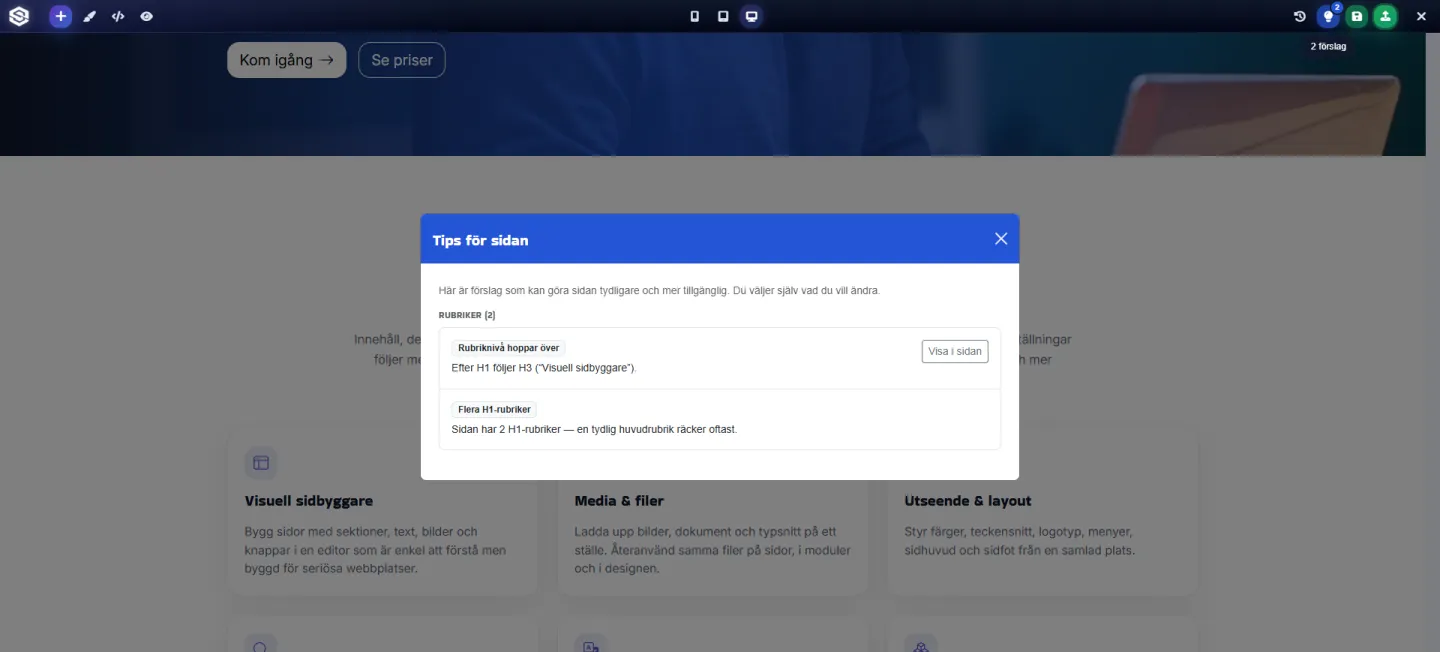
The light bulb in SiteAdmin Editor collects tips when you save, including heading levels, multiple H1 headings, and missing alt text. Open the list, see where each issue appears on the page, and choose what to address.
Health shows everyday warnings. Analyses provide a monthly PageSpeed overview. Analytics shows visits and pages — built in without cookies, with optional Plausible if you want extra figures.
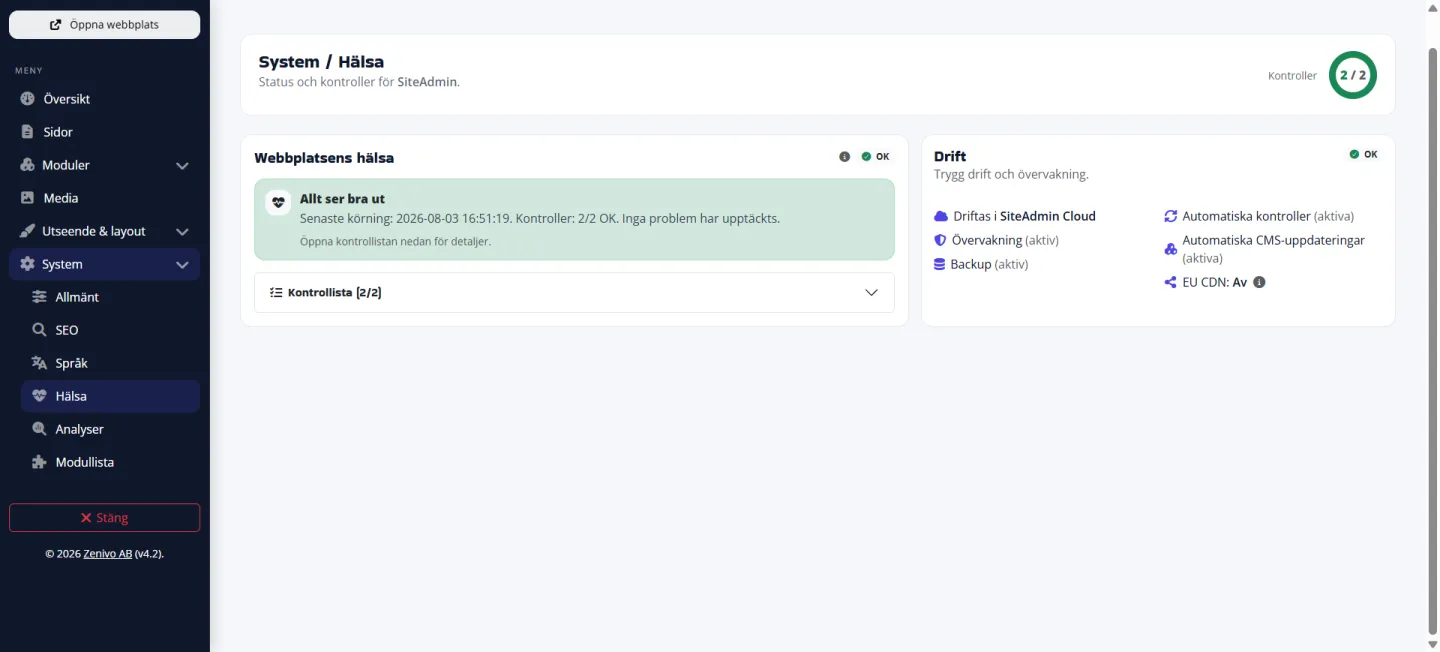
Automatic checks with clear warnings under System → Health — the same status also appears on the overview, so you can quickly see whether anything needs attention.
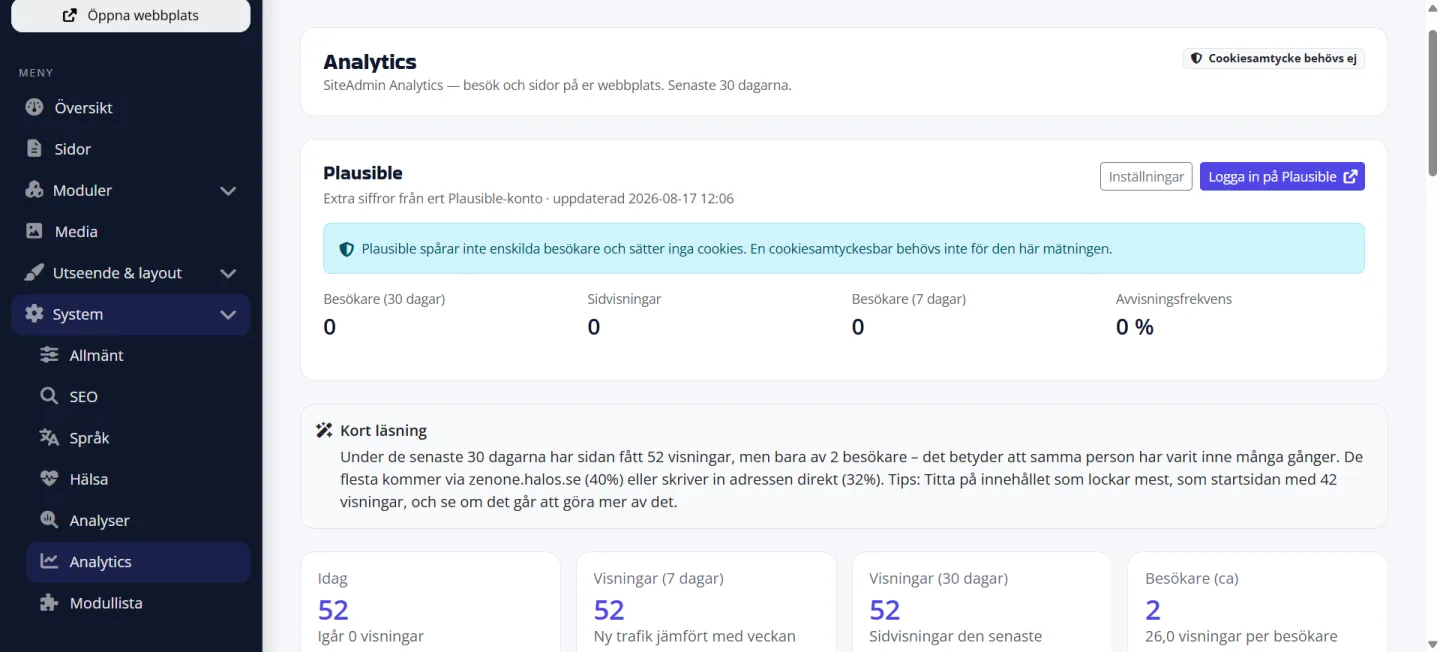
Visits, top pages, sources and a short AI summary under System → Analytics. Measurement runs on the server without cookies. Connect Plausible in the same view when you want extra figures from your own account.
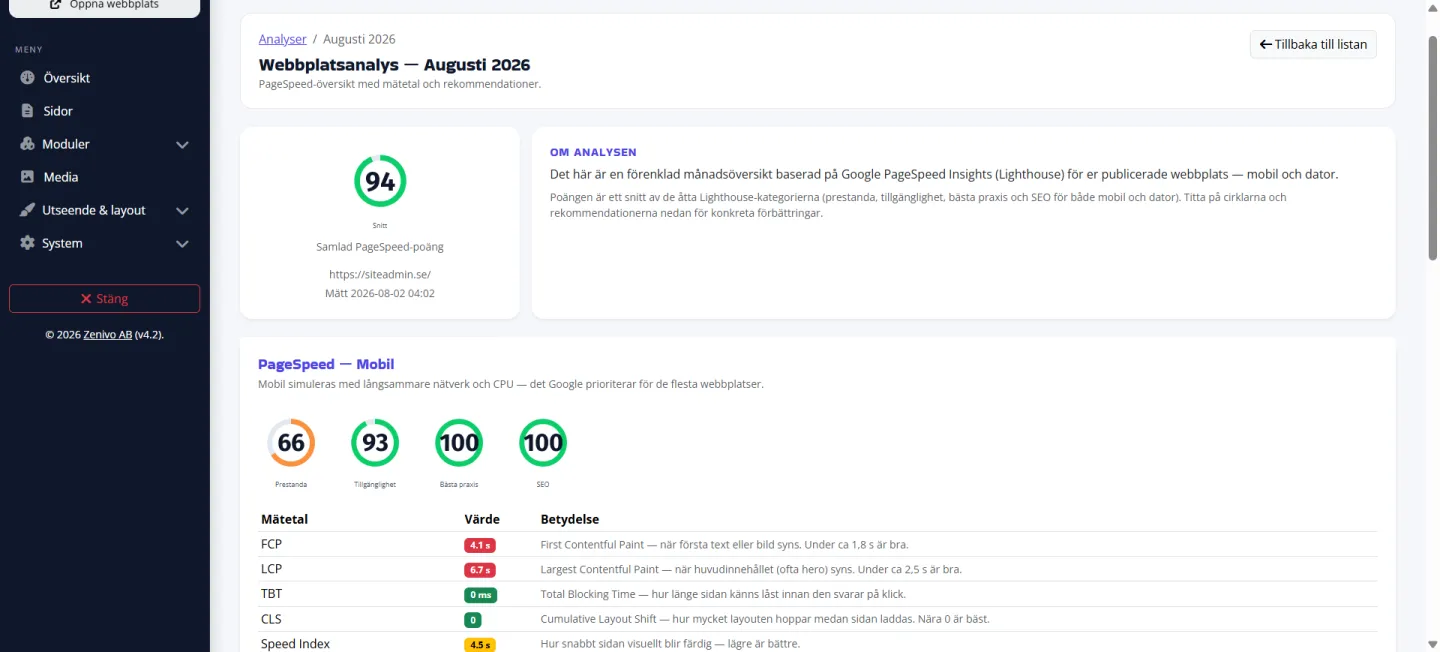
A monthly PageSpeed overview under System → Analyses, with metrics and recommendations for mobile and desktop — without leaving SiteAdmin.
Visual editing, media, SEO, language support, AI, and modules — all in one place. Fully managed, entirely Swedish, and built with GDPR in mind from day one.